A simple diary for your INR and warfarin

INRange keeps your INR results and daily warfarin doses in one place, reminds you when it’s time to take your dose, and makes it easy to share your records with your doctor or anticoagulation clinic.
  • Free
  • No ads
  • No account needed
  • iPhone, iPad & Apple WatchiPhone, iPad, Apple Watch & Android
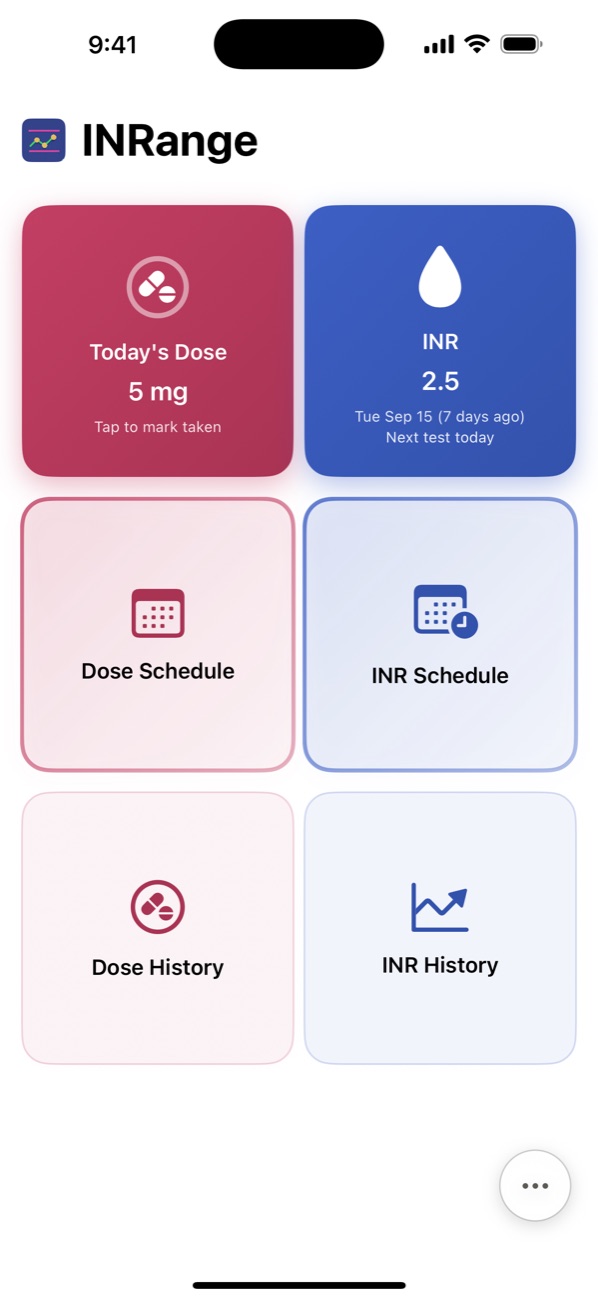
The INRange home screen: today’s dose of 5 mg, the latest INR of 2.5, and buttons for the dose schedule, INR schedule, dose history and INR history

What INRange helps you with

Everything is designed around the routine of taking warfarin: a dose every day, an INR test every so often, and a record to bring to your appointments.

Record your INR results

Enter each result with its date. INRange shows whether it is within your target range — which you can set to match your clinic’s advice — and charts your results over time. See the charts

Keep track of your doses

Set up your weekly schedule, or a longer cycle if your dose varies from day to day. When your clinic changes a single day’s dose, change just that day.

A reminder at your dose time

A daily reminder at the time you choose. From the notification you can mark the dose as taken, snooze it, or open INRange to change it.

Know when your next test is due

Tell INRange how often you are tested and it shows the date of your next test. If a test becomes overdue, it reminds you.

Share your records with your doctor

Create a PDF report of your results and doses to print, email or show at your appointment. You can also export everything as a spreadsheet file. See a sample report

Vitamin K food list

Look up how much vitamin K is in common foods. Keeping your vitamin K intake steady helps keep your INR steady.

Your records are backed up

INRange saves a copy of your records every day and keeps the last 30 days, so you can restore them if something goes wrong.

iPhone and iPadiPhone, iPad and Android

INRange works on bothall three. On the iPad, the larger screen gives you more room for your history and charts. Changing phones? Export your records on one and import them on the other — both apps use the same file format.

A look inside

These are real screens from the app, shown with example data. They’re from an iPhone; the Android app looks the same.

See it in under a minute

A narrated tour of one day of the routine, with an example patient: today’s dose, a new INR result, the chart, the schedules and a report. Nothing plays until you press play.
Home screen with today’s dose and the latest INR
Home: today’s dose and your latest INR.
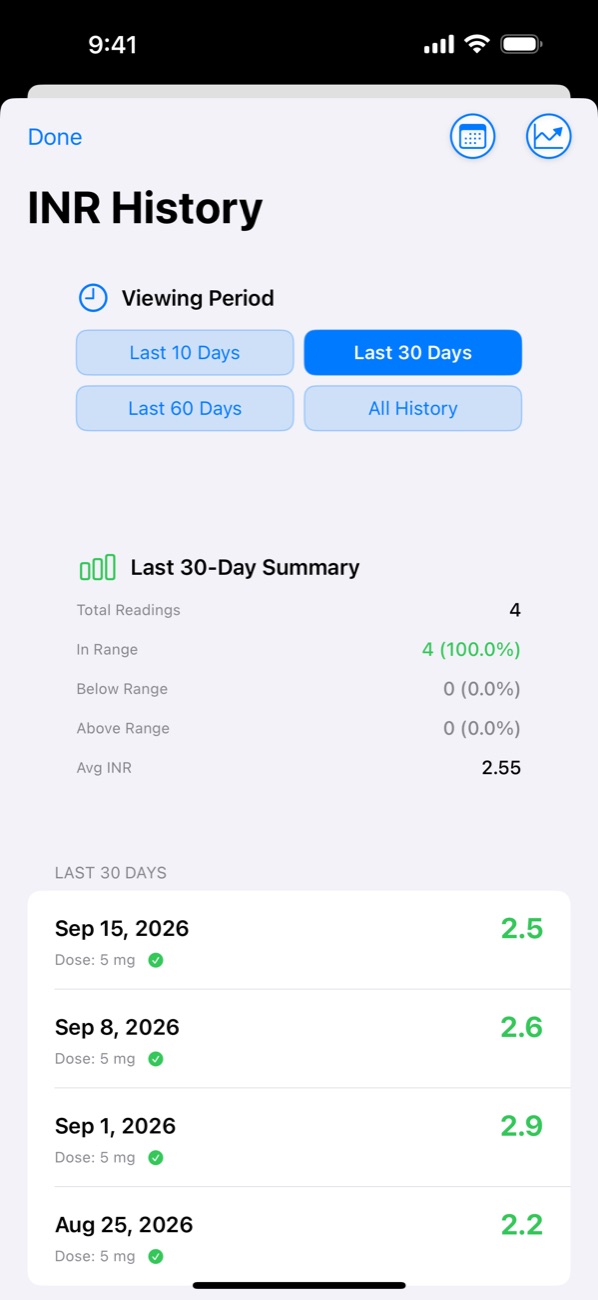
INR History: four readings in the last 30 days, all in range, average 2.55
Your INR results, and how many were in range.
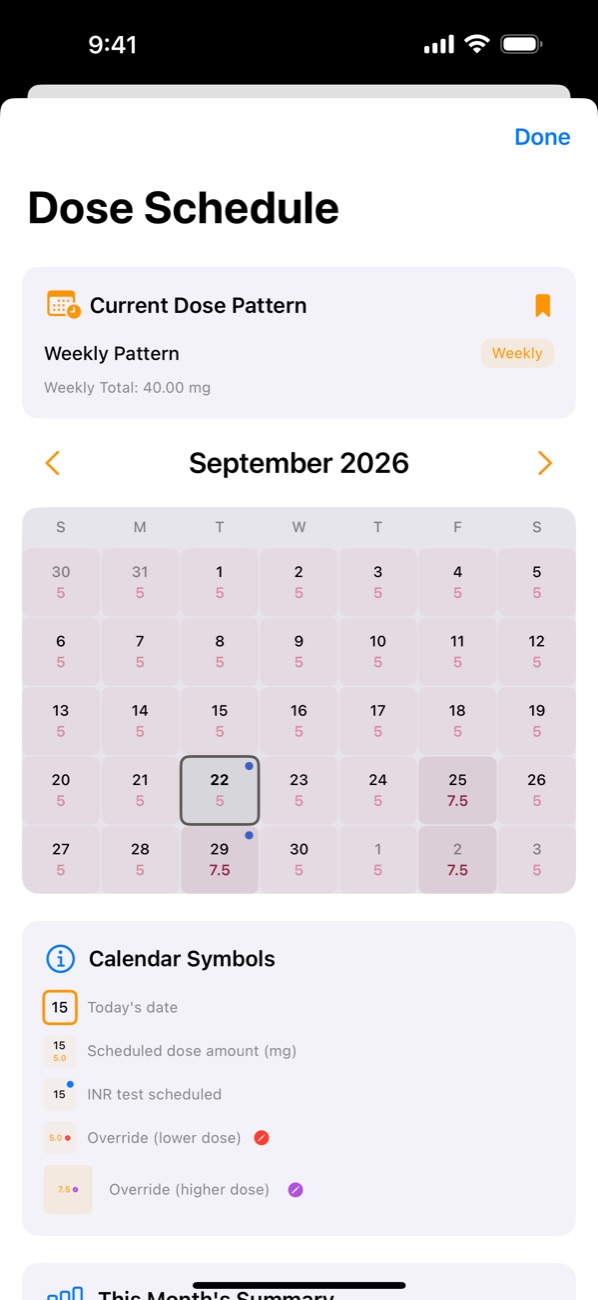
Dose Schedule: a month calendar showing the dose for each day
Your dose for every day of the month.
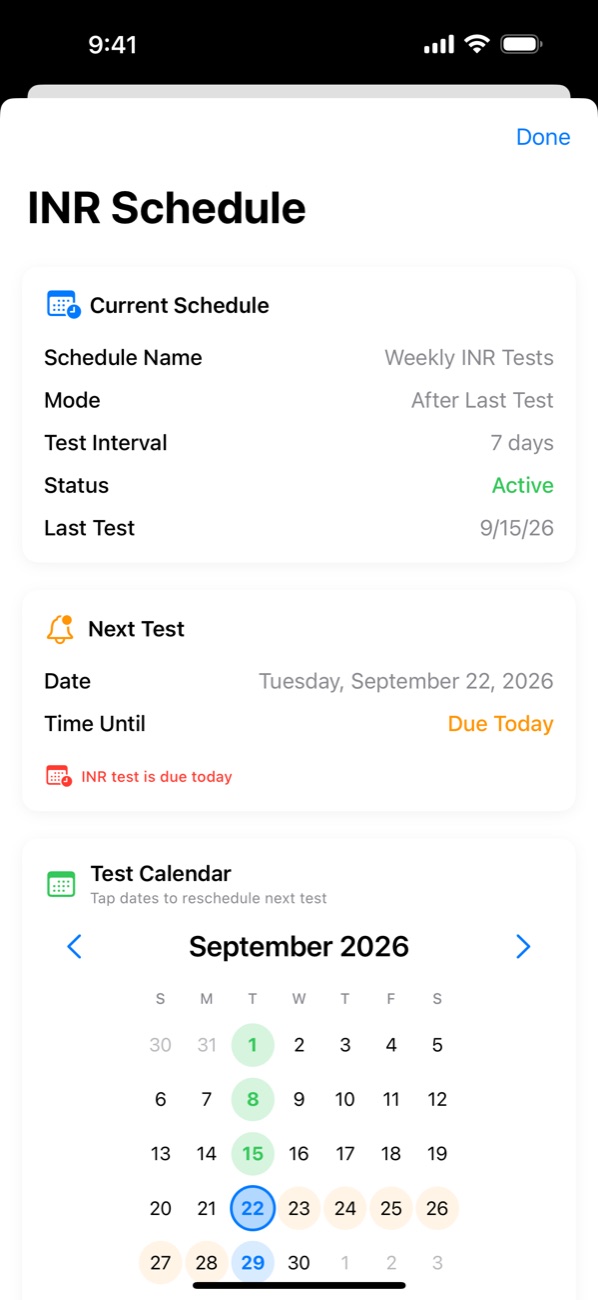
INR Schedule: weekly tests, with the next test due today
When your next INR test is due.

See how you’re doing

INRange turns what you enter into charts. Look back over the last 10, 30 or 60 days, or your whole history, and switch between daily doses and weekly totals.
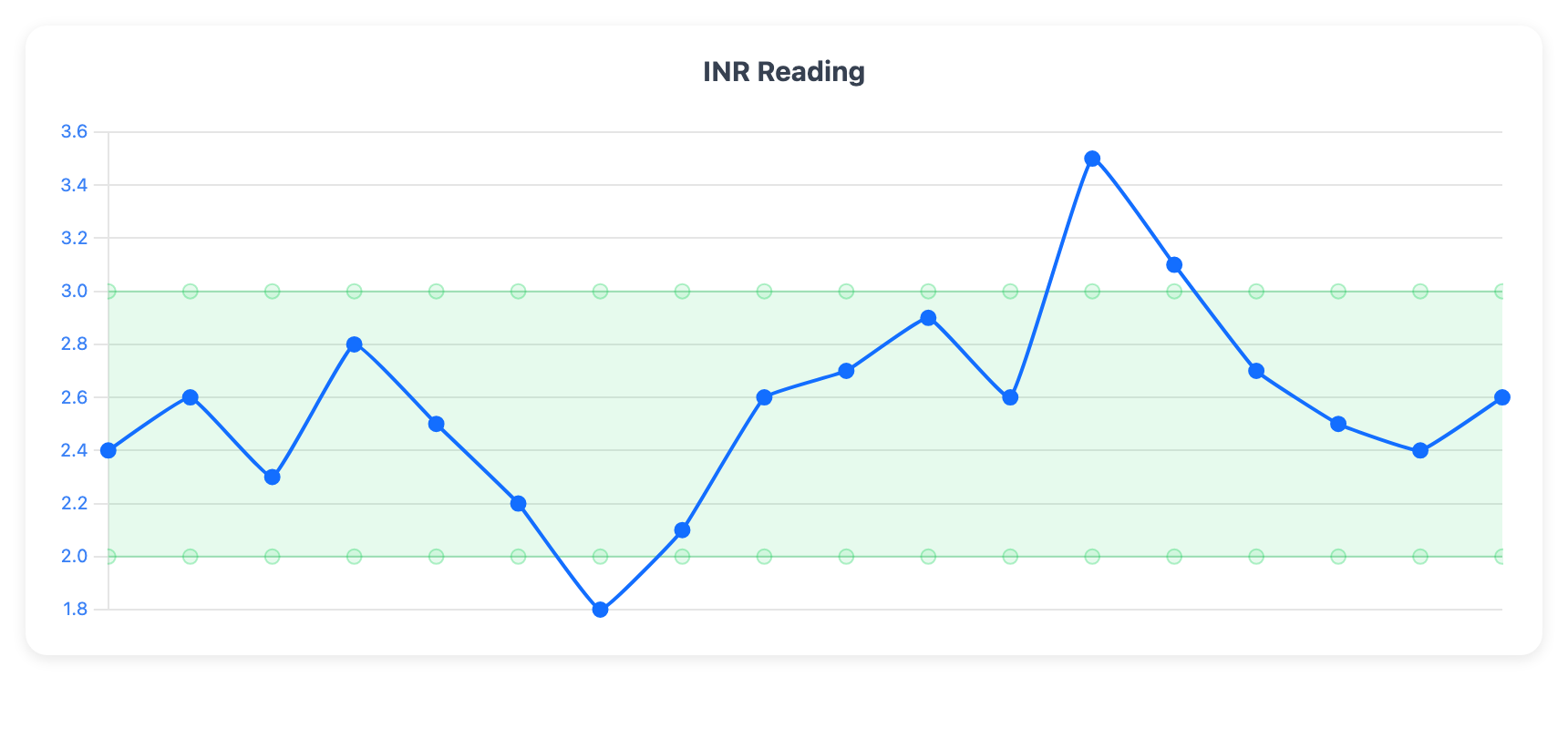
A line chart of INR results over four months. A green band marks the target range of 2.0 to 3.0; most results are inside it, with one low result of 1.8 and one high result of 3.5.
Your INR results over time. The green band is your target range, so a result above or below it stands out.
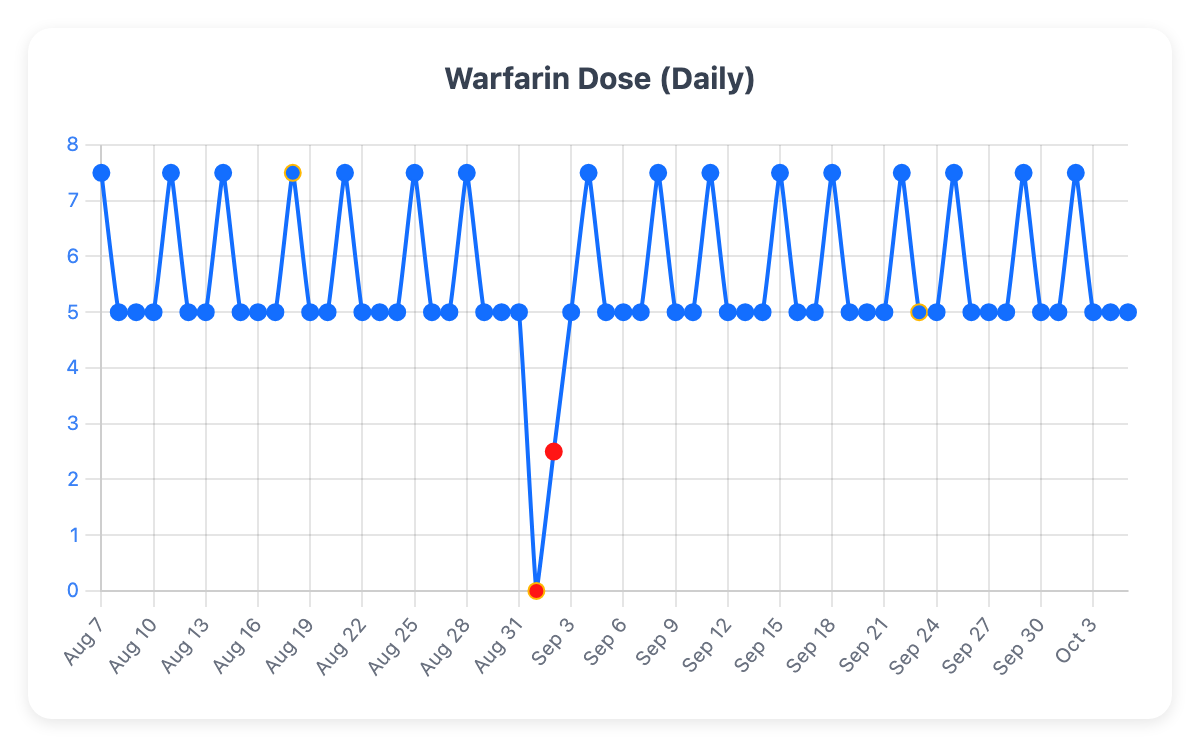
A chart of the daily warfarin dose over 60 days, alternating between 5 and 7.5 mg, with two days marked in red where the dose was changed to 0 and 2.5 mg.
Your dose for every day. Days when the dose was changed are marked in red, and days with a note are outlined.
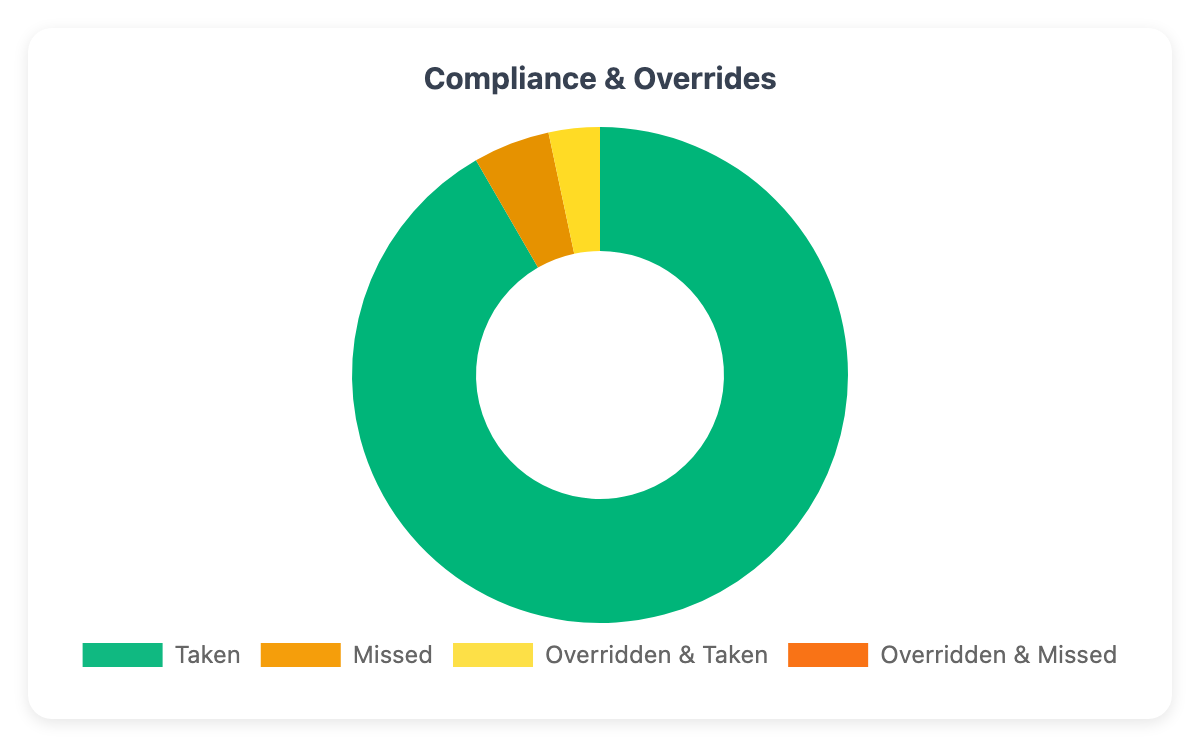
A ring chart of doses: most taken, a few missed, and a small share taken at a changed dose.
How many doses you took, how many you missed, and how many were at a changed dose.

Charts shown with example data.

A report for your appointments

Create a PDF of your results and doses from the home screen, then print it, email it or show it on your phone. Choose how much it covers: the last 30, 60, 90 or 120 days, or everything.
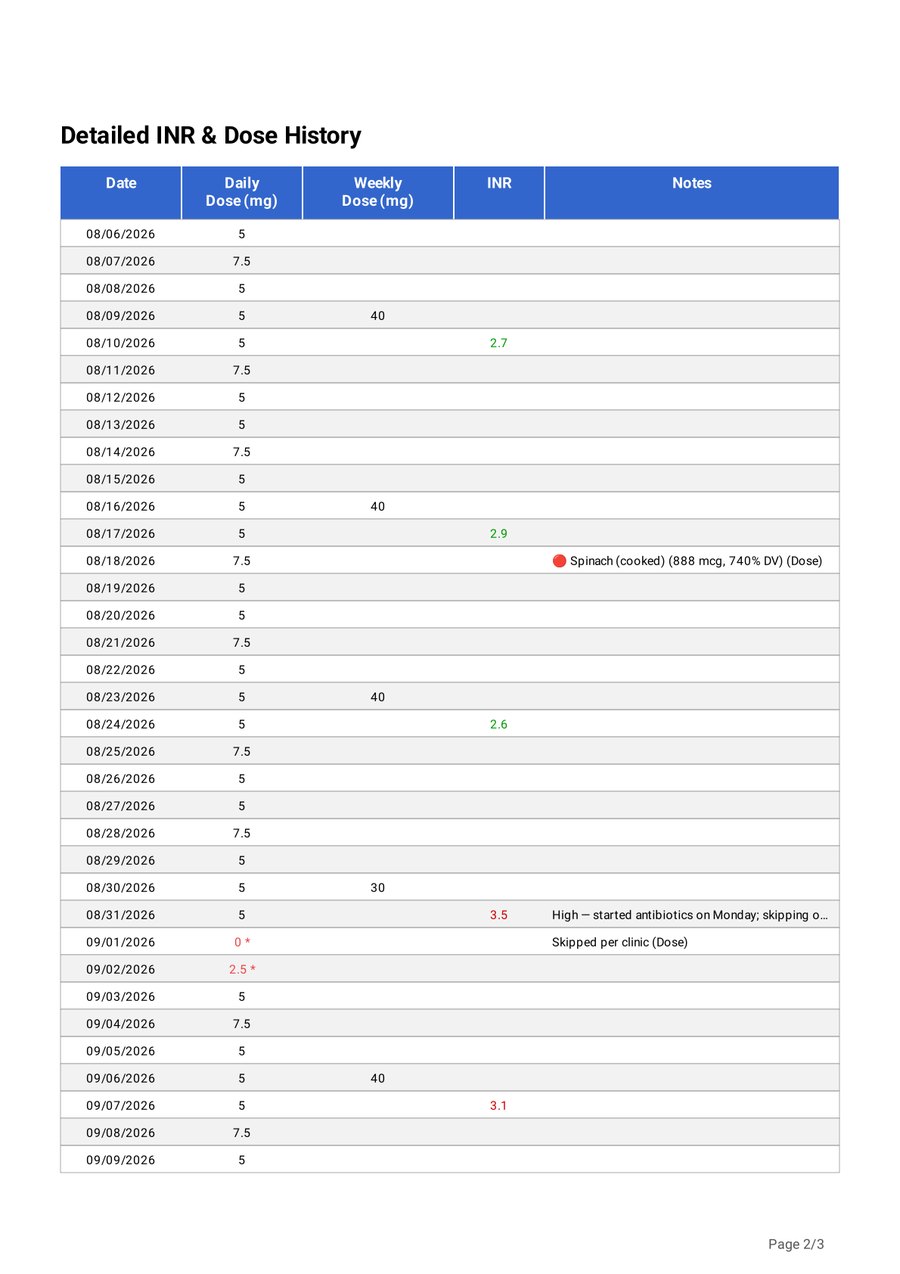
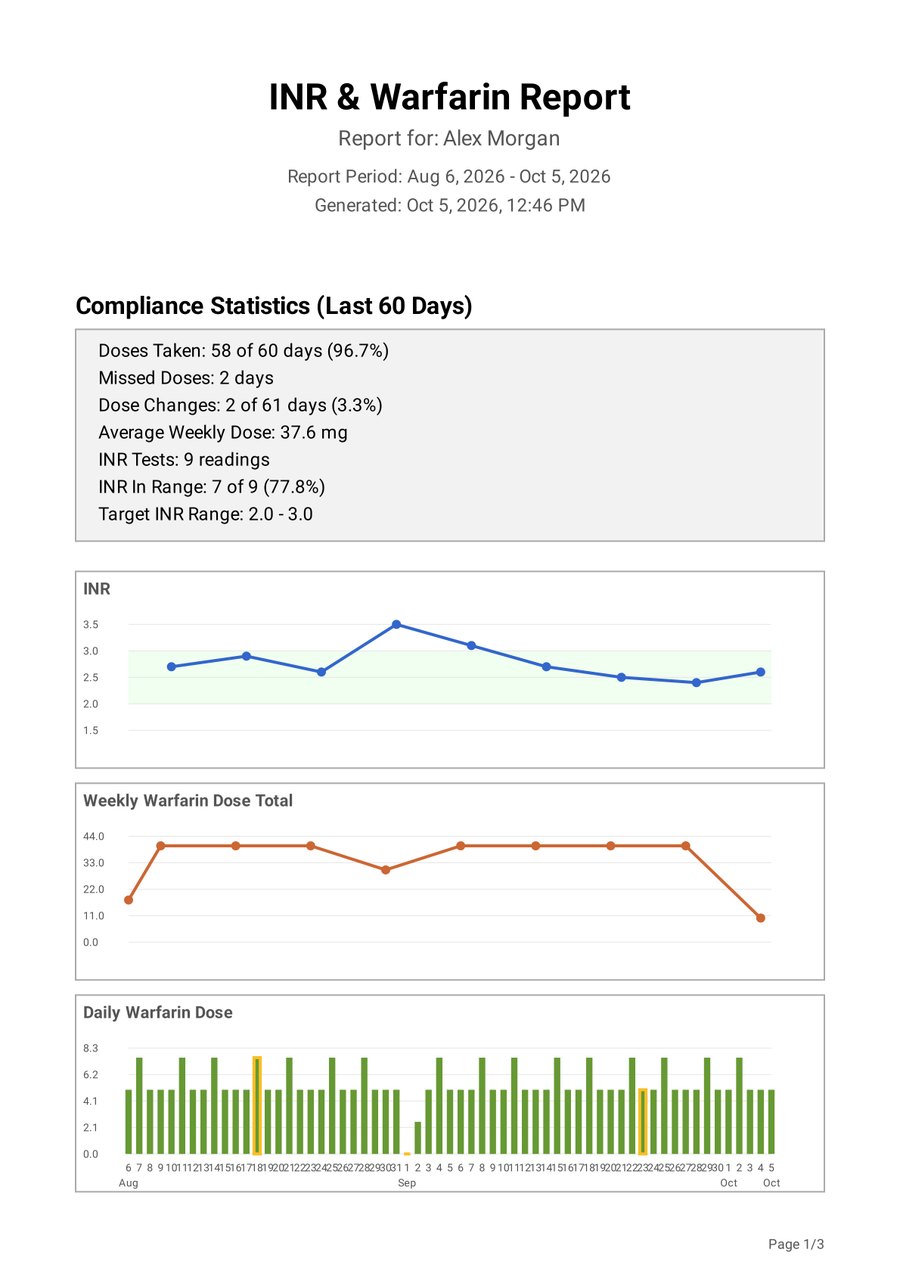
  • A summary: doses taken and missed, dose changes, your average weekly dose, and how many INR results were in your target range
  • Charts of your INR results, weekly dose totals and daily doses
  • A day-by-day table of every dose, weekly total, INR result and note
  • Your name at the top, if you add it in Settings
Open a sample report (PDF)
The first page of a sample INRange report: a compliance summary (58 of 60 doses taken, 7 of 9 INR results in range) and charts of INR, weekly dose totals and daily doses.
A sample report, made with example data.

On your Apple Watch, too

Today’s dose and your latest INR are on your wrist. When the reminder arrives, tap Mark as Taken and your iPhone is updated for you.

  • Mark your dose as taken, or change it, from the Watch
  • Enter a new INR result
  • Keeps working when your iPhone isn’t nearby, and catches up when it is

The Watch app works with iPhone.

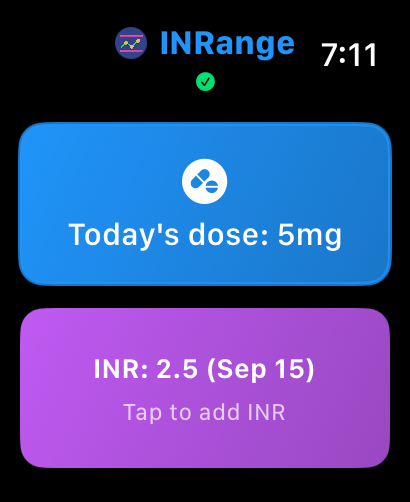
INRange on Apple Watch: today’s dose of 5 mg and the latest INR, 2.5
Today’s dose and latest INR.
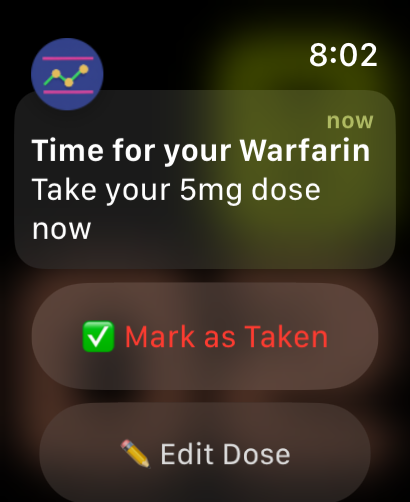
A dose reminder on Apple Watch: “Time for your Warfarin — Take your 5mg dose now”, with Mark as Taken and Edit Dose buttons
The daily reminder.
A 20-second tour: the reminder, Mark as Taken, and a new result, entered on the Watch.

On your Home Screen

Add the INRange widget to see today’s dose and your latest INR without opening the app.
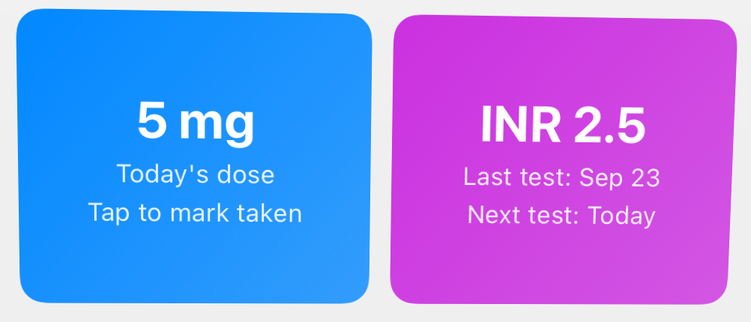
  • Tap the dose, then tap again to confirm, to mark it as taken
  • The larger widget also shows when your next test is due
  • Tap your INR to enter a new result
The INRange Home Screen widget: today’s dose, 5 mg, and INR 2.5 with the last and next test dates

Your information stays with you

  • Everything you enter is stored on your phone, and on your Apple Watch if you use one.
  • There is no account to create and nothing to sign in to.
  • No ads and no tracking. INRange doesn’t send your information anywhere.
  • INRange is free.

Read the privacy policy

Ready to try it?

INRange is free on the App Store for iPhone, iPad and Apple Watch., and on Google Play for Android.

Please note: INRange is a record-keeping tool. It does not give medical advice or tell you what dose to take. Always follow the instructions of your doctor or anticoagulation clinic.